
Looking for a fresh way to transform your ordinary pictures into attractive and professional-looking portraits? The RSP Editing Template Photo trend is a great source of inspiration for anyone who enjoys experimenting with modern AI photo editing.
With AI-powered photo editing tools, you can change the background, improve lighting, create different photography styles, and give your pictures a completely new appearance without spending hours editing them manually.
In this article, you will find 6 original RSP AI editing prompts designed for different photography styles. Each prompt includes a clear description of the expected result, making it easier to choose the look you want.
Whether you prefer natural portraits, cinematic photography, black-and-white pictures, or traditional Indian looks, these prompts can help you experiment with your photos.
What Is RSP Editing Template Photo?
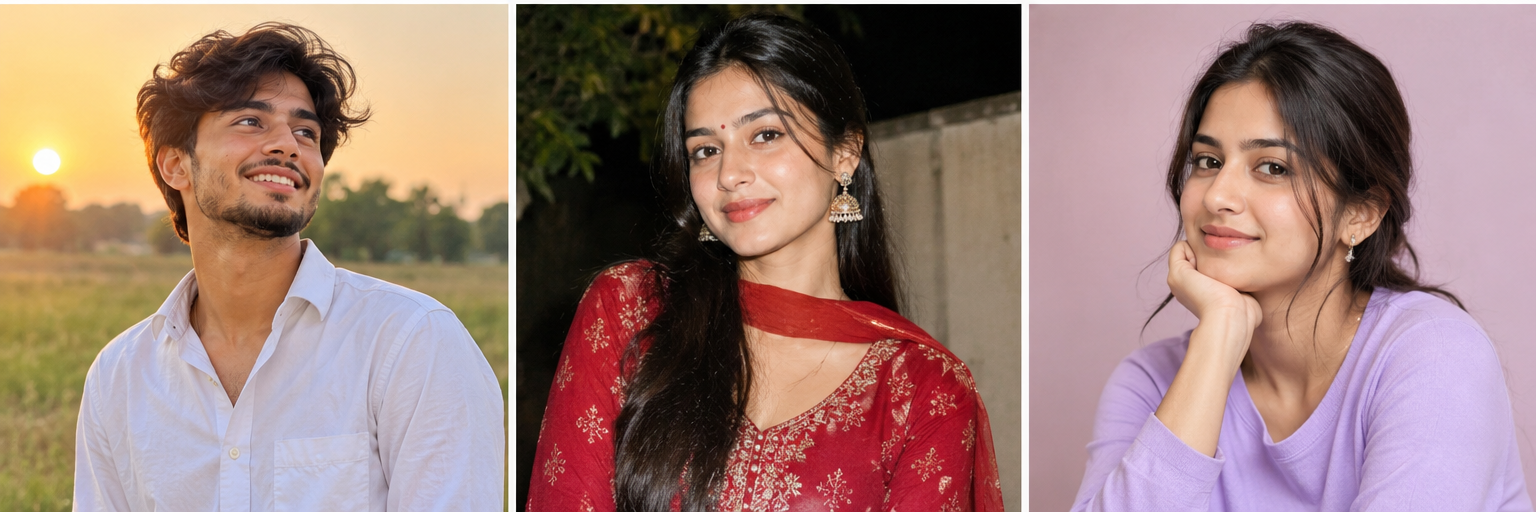
RSP Editing Template Photo refers to a style of photo-editing inspiration in which users apply creative editing instructions to their original pictures to achieve a particular visual appearance.
Instead of adjusting every setting manually, you can use an AI photo editor and provide a detailed text prompt describing the desired result.
Depending on the editing tool, you can experiment with:
- Natural skin tones and improved lighting.
- Professional portrait backgrounds.
- Cinematic colour grading.
- Different outfits and photography environments.
- Creative portrait compositions.
- High-quality social media pictures.
The most important thing is to use a clear prompt and a good-quality original photograph.
6 Best RSP AI Editing Prompts for Photo Editing
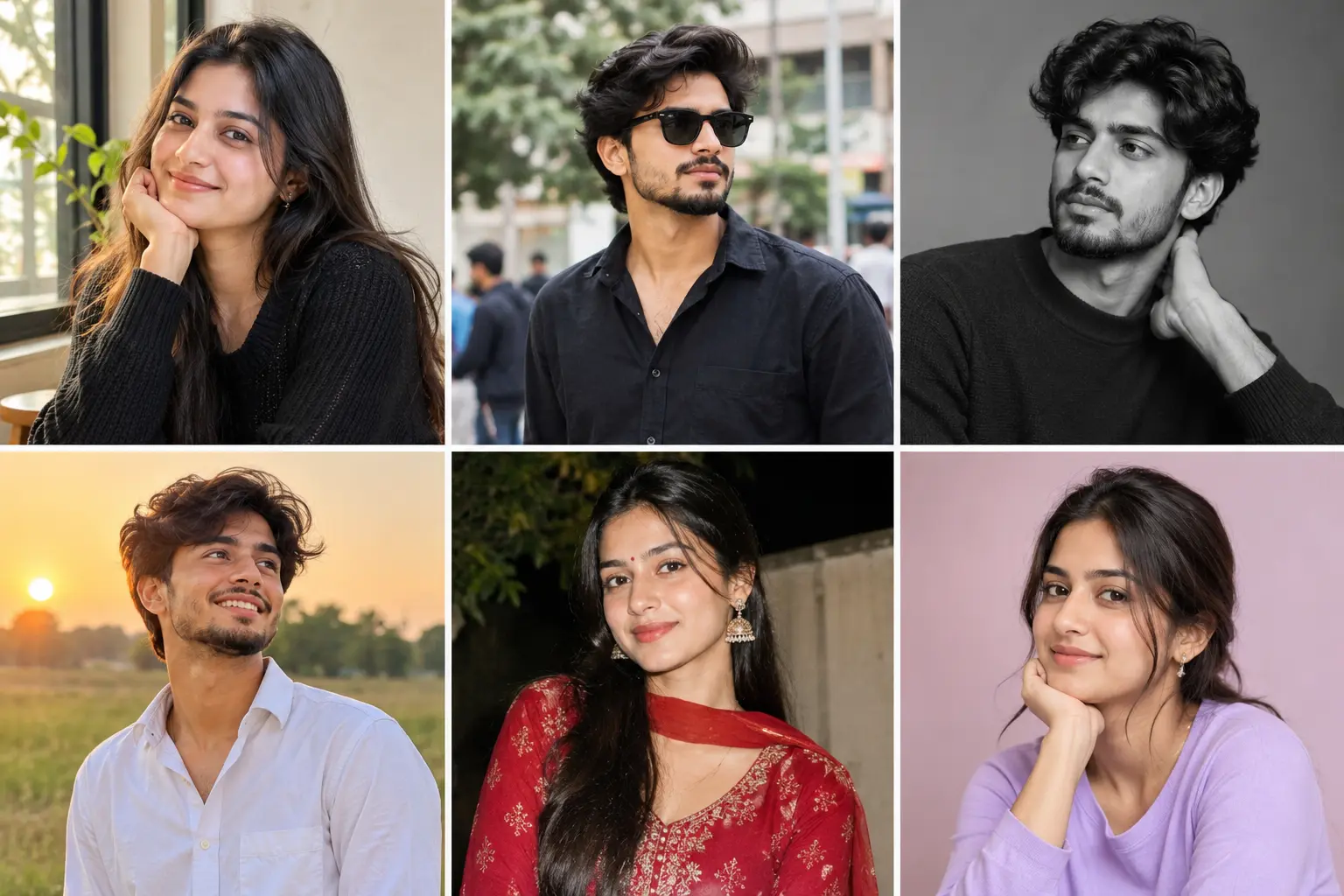
Below are six original prompts created for different portrait styles. You can copy the prompts and use them with an AI image editing tool that supports image uploads and text instructions.
1. Natural Cafe Portrait Editing
Expected result: A realistic cafe portrait with soft window lighting, a warm atmosphere, and a natural photography look.
AI Editing Prompt:
"Edit my uploaded photograph into a realistic professional cafe portrait.
Keep the original facial identity, facial structure, and natural skin texture unchanged.
Place the subject near a large cafe window with soft daylight falling naturally across
the face. Add a softly blurred coffee shop background, warm neutral tones, realistic
shadows, and subtle depth of field. Maintain natural colours and authentic photographic
details. Make the final image look like a genuine professional camera photograph, not
an artificial AI render."
Best for: Instagram profile pictures, casual portraits, and lifestyle photography.
2. Modern Urban Street Portrait
Expected result: A stylish street portrait with a modern city background and a clean fashion-photography appearance.
AI Editing Prompt:
"Transform my uploaded photo into a premium urban street-style portrait.
Preserve the person's original face, identity, hairstyle, and natural facial features.
Create a realistic modern city street background with softly blurred buildings and
natural daylight. Improve the overall composition, clothing details, and lighting
while keeping the result believable. Use balanced contrast, natural skin tones,
subtle shadows, and professional editorial photography quality. Avoid excessive
retouching and artificial effects."
Best for: Stylish social media posts, fashion portraits, and profile photos.
3. Classic Black and White Portrait
Expected result: A timeless monochrome portrait with detailed shadows, realistic skin texture, and an elegant photography style.
AI Editing Prompt:
"Convert my uploaded photograph into an elegant black-and-white professional portrait.
Preserve the exact identity, face shape, eyes, nose, hairstyle, and natural expression
of the original subject. Use beautiful monochrome tonal contrast with detailed
highlights and soft shadows. Create a simple dark grey background with subtle studio
lighting. Keep realistic skin texture, natural facial details, and sharp focus on the
eyes. The final photograph should resemble an authentic fine-art portrait captured
with a professional camera."
Best for: Minimal profile pictures, artistic portraits, and classic photography.
4. Golden Hour Outdoor Portrait
Expected result: A beautiful outdoor portrait with natural sunset lighting and a softly blurred green background.
AI Editing Prompt:
"Edit my uploaded photograph into a beautiful golden-hour outdoor portrait.
Keep the original face and personal identity exactly recognizable. Place the
subject in a natural open field with softly blurred green trees in the background.
Add gentle golden sunlight from the side, realistic warm highlights, soft shadows,
and natural skin tones. Create a balanced professional photography composition with
authentic environmental details. Avoid over-saturated colours, excessive glow, and
artificial-looking skin."
Best for: Travel photography, outdoor portraits, and aesthetic social media pictures.
5. Traditional Indian Festive Portrait
Expected result: A natural traditional portrait featuring elegant Indian clothing, warm evening lighting, and a festive atmosphere.
AI Editing Prompt:
"Transform my uploaded photograph into an elegant traditional Indian festive portrait.
Preserve the original facial identity, natural expression, and recognizable facial
features. Style the subject in tasteful traditional Indian clothing with realistic
fabric textures and fine details. Create a softly illuminated evening background
with subtle decorative lights and a warm festive atmosphere. Use natural skin tones,
balanced lighting, realistic shadows, and professional portrait photography.
Keep the final result sophisticated, authentic, and visually natural."
Best for: Festival posts, traditional portraits, and special occasions.
6. Minimal Pastel Studio Portrait
Expected result: A clean studio portrait with a soft pastel background, natural lighting, and a professional editorial look.
AI Editing Prompt:
"Create a clean and elegant studio portrait using my uploaded photograph.
Preserve the original person's facial identity, facial proportions, hairstyle,
and natural expression. Use a soft pastel pink studio background with subtle
lighting and realistic shadows. Improve the photograph's clarity, composition,
and colour balance without changing the person's identity. Maintain authentic
skin texture and natural details. Use professional studio portrait photography
with a simple, minimal, sophisticated appearance. Avoid plastic skin, excessive
smoothing, and artificial effects."
Best for: Profile pictures, fashion portraits, and clean social media photography.
How to Use RSP AI Editing Prompts
You do not need advanced photo-editing experience to experiment with these prompts. Follow these simple steps:
- Select a clear photograph from your gallery.
- Open an AI photo editing tool that supports image uploads.
- Upload your original photograph.
- Choose one of the six RSP AI editing prompts from this article.
- Copy and paste the complete prompt into the editing instruction box.
- Generate the edited image and check the result.
- If necessary, adjust the background, lighting, or colour details with another instruction.
- Save your preferred final photograph.
Tip: For better results, use a clear, high-resolution photograph with good lighting. Results may vary depending on the AI tool and the quality of your original image.
Tips for Getting Better AI Photo Editing Results
A good prompt can make a difference, but the original photograph and editing tool also matter.
Here are some useful tips:
- Use clear photographs: Blurry images may produce inconsistent results.
- Describe the lighting: Mention whether you want daylight, studio lighting, or sunset lighting.
- Preserve facial identity: Include instructions to maintain the original person’s facial features.
- Avoid too many effects: Excessive filters can make portraits look unnatural.
- Choose suitable backgrounds: Use backgrounds that match the intended photography style.
- Check the final image: Review facial details, hands, clothing, and background before publishing.
Frequently Asked Questions
1. What is an RSP Editing Template Photo?
It is a photo-editing style or template concept used as inspiration for transforming ordinary photographs into more creative portraits using editing techniques and AI prompts.
2. Can I use RSP AI Editing Prompts for my own photos?
Yes. You can upload your own photograph to a compatible AI image editor and use the prompts to experiment with different portrait styles.
3. Which AI tool is suitable for these photo editing prompts?
You can use an AI image editing platform that supports image uploads and text-based editing instructions. The available features and results depend on the platform.
4. How can I make AI-edited photos look realistic?
Use a high-quality original photograph, request natural lighting and skin texture, avoid excessive filters, and provide clear instructions about preserving facial identity.
5. Are these RSP photo editing prompts free?
The prompts shared in this article are free to copy and use. However, the AI editing platform you choose may have its own free usage limits or paid features.
6. Can I use these edited photos on Instagram and WhatsApp?
Yes, you can use your edited photographs on social media, provided you have the necessary rights to the original image and comply with the AI tool’s terms of use.
Final Words
The RSP Editing Template Photo trend gives photography lovers an easy way to experiment with different portrait styles. With the six AI editing prompts shared in this article, you can try natural cafe portraits, modern street photography, classic monochrome effects, golden-hour pictures, traditional Indian portraits, and minimal studio photography.
You do not need to be a professional photo editor to start experimenting. Simply select your favourite prompt, upload a suitable photograph, and explore different creative results.
Try different styles, keep your edits natural, and choose the final look that best matches your photography preferences.