
Want to transform your ordinary photos into stunning AI-generated pictures? With the right ChatGPT photo editing prompts, you can create beautiful portraits, aesthetic selfies, professional photographs, cinematic images, and much more.
You don’t need professional photo editing skills or complicated software to get started. Simply upload your photo to ChatGPT, enter a well-written editing prompt, and let AI transform your image according to your instructions.
Whether you want to create a trending Instagram portrait, change your photo background, try a new outfit, or give your picture a cinematic look, the right AI prompt can make a big difference.
In this article, you’ll find some of the best ChatGPT AI photo editing prompts that you can copy and use for free. These prompts cover different photo editing styles, including realistic portraits, mirror selfies, fashion photography, aesthetic pictures, and creative backgrounds.
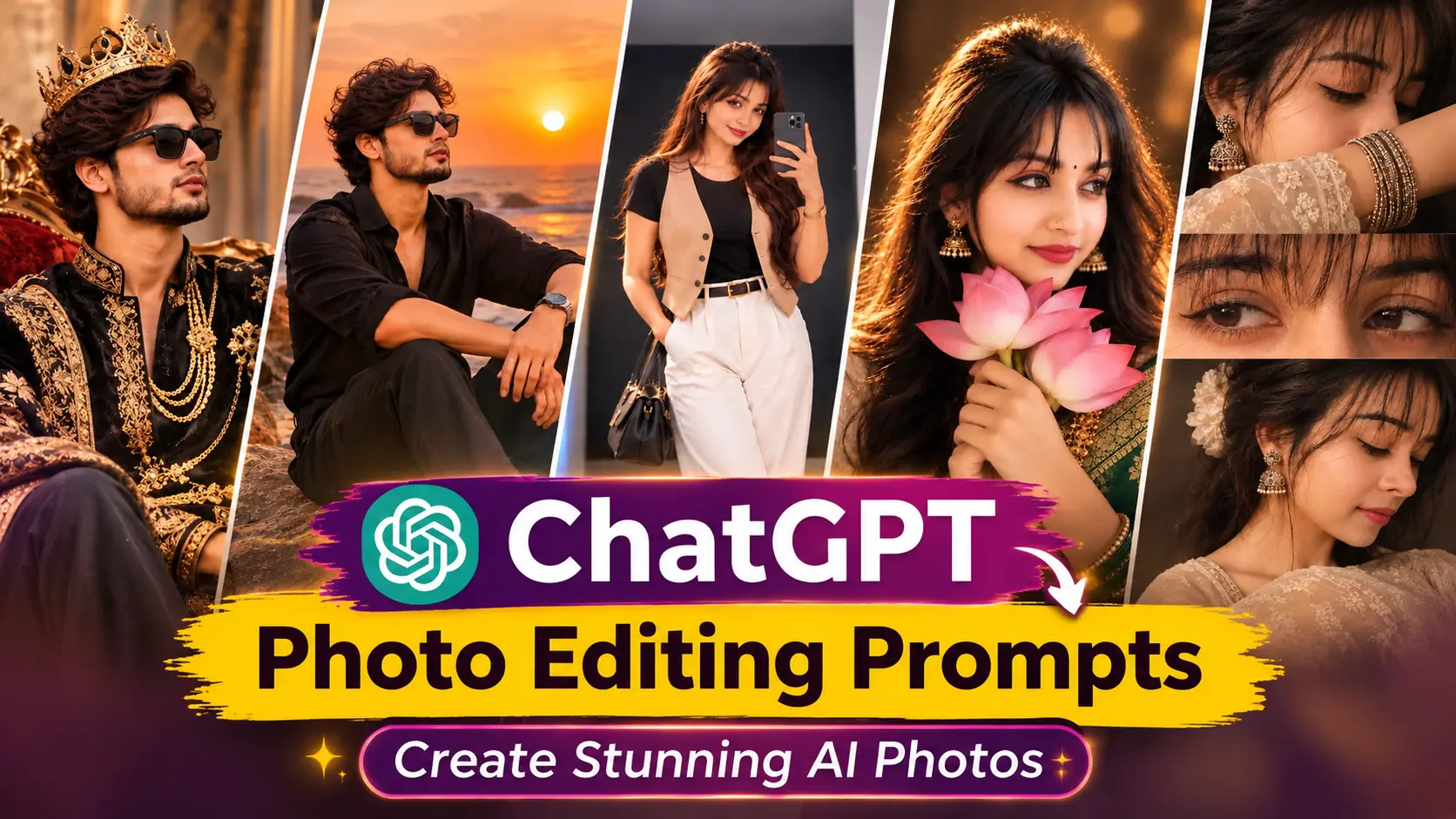
What Are ChatGPT Photo Editing Prompts?
ChatGPT photo editing prompts are text instructions that tell AI how you want to edit or transform an uploaded photograph.
Instead of manually editing every detail, you can describe the changes you want in simple language. ChatGPT can use your instructions and reference image to generate an edited version, depending on the available image generation and editing features.
For example, you can ask ChatGPT to:
- Change the background of your photograph.
- Create a beautiful cinematic portrait.
- Add professional studio lighting.
- Change your outfit or styling.
- Create an aesthetic mirror selfie.
- Improve image quality and lighting.
- Transform an ordinary photo into a professional photoshoot.
The more clearly you describe your desired result, the easier it is for the AI to understand your editing requirements.
How to Use ChatGPT Photo Editing Prompts?
If you’re new to AI photo editing, follow these simple steps to create your first AI image.
- Open ChatGPT on your mobile or desktop.
- Select the image generation feature if available.
- Upload a clear photograph that you want to edit.
- Choose one of the ChatGPT photo editing prompts from this article.
- Copy and paste the complete prompt into ChatGPT.
- Generate your edited image.
- If the result isn’t exactly what you want, provide additional instructions to improve it.
Tip: If you want to maintain your original facial identity, always include clear instructions asking the AI to preserve your natural facial features.
15 Best ChatGPT Photo Editing Prompts to Try
Here are some creative and realistic ChatGPT AI photo editing prompts you can copy and use with your own photographs.
1. Cinematic AI Portrait Prompt
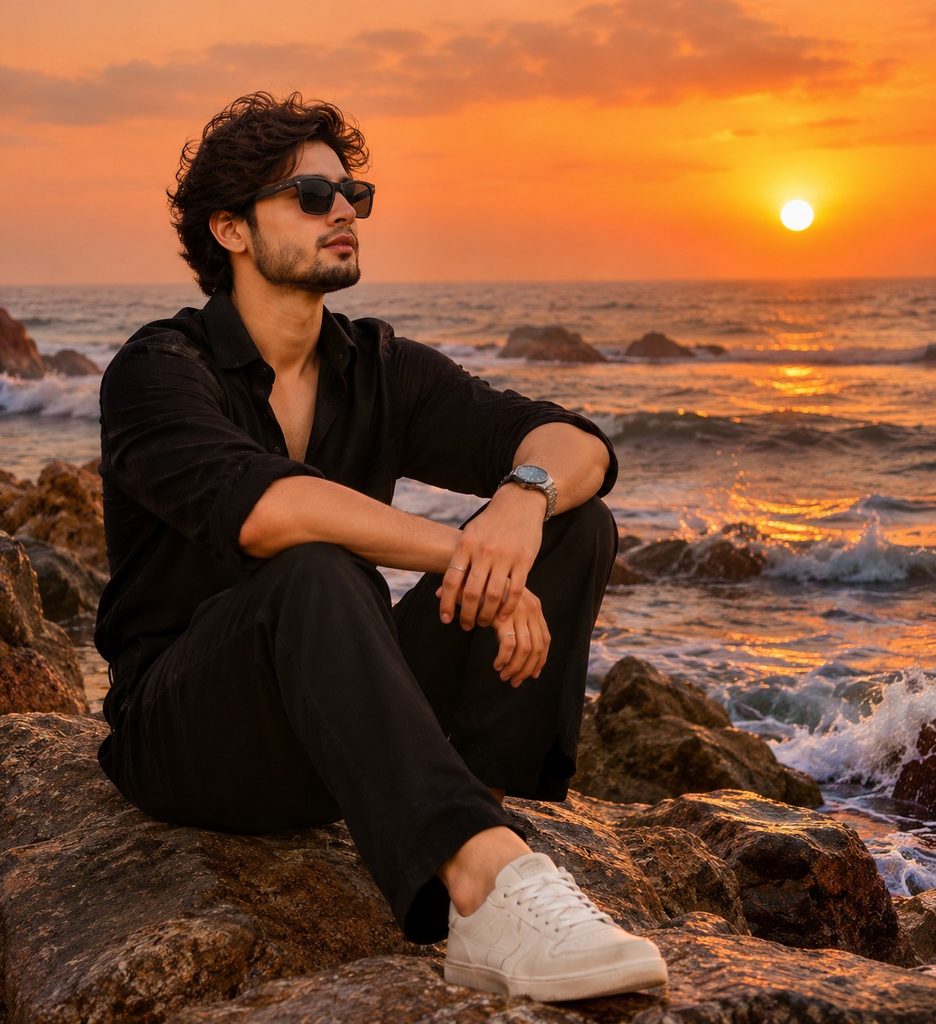
Create a professional cinematic portrait using your ordinary photograph.
Copy Prompt:
Create a cinematic sunset portrait using my uploaded reference photo.
Preserve my facial identity and natural appearance. Show me sitting on a rock
near the ocean while looking toward the sunset. Add golden sunlight, realistic
ocean waves, warm orange color grading, natural shadows, and a beautiful cinematic
atmosphere. Use professional photography composition and realistic details.
2. Trending Mirror Selfie AI Prompt
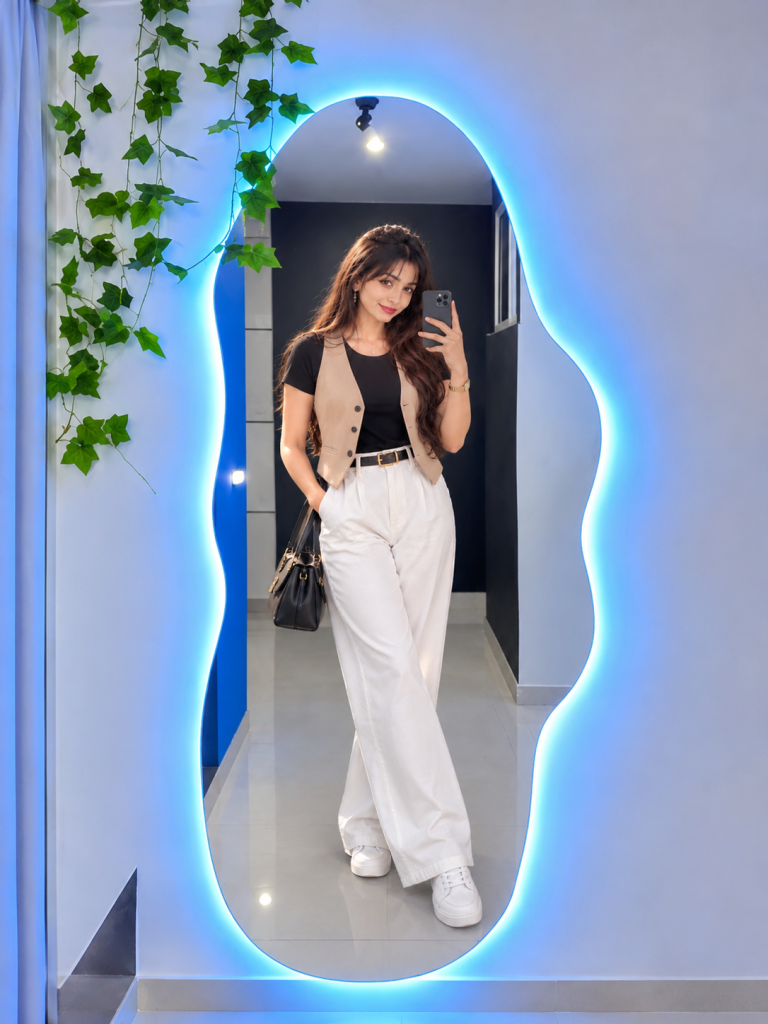
Create a stylish and aesthetic mirror selfie using ChatGPT.
Copy Prompt:
STRICT IDENTITY & BACKGROUND LOCK: Use the first uploaded photo as the ONLY identity reference for the person and the second photo as the BASE IMAGE. Preserve the person's exact facial features, skin tone, hairstyle, and natural expression. Do not alter, beautify, or replace their identity. Realistic Photo Composition: Seamlessly place the person from the first photo into the second photo. Match their position, body proportions, perspective, scale, and posture naturally with the existing scene. Mirror Background: Preserve the second photo's original mirror background, surroundings, objects, colors, lighting, and reflections exactly as they are. Do not remove, add, redesign, or modify any background elements. Lighting & Blending: Match the original lighting, shadows, color temperature, and camera perspective so the inserted person looks naturally photographed in the second image, not digitally pasted. Image Quality: Enhance clarity, sharpness, facial details, and realistic textures while maintaining the original appearance. Produce a clean, natural, photorealistic 8K-quality result. Negative Prompt: Altered face, identity changes, beautification, modified background, changed mirror reflections, extra objects, distorted anatomy, unnatural shadows, mismatched lighting, blurry details, artificial cutout edges, or CGI appearance. Output: 3:4 aspect ratio, ultra-realistic photo composition, seamless natural blending.
3. Dreamy Indian Girl AI Photo Prompt
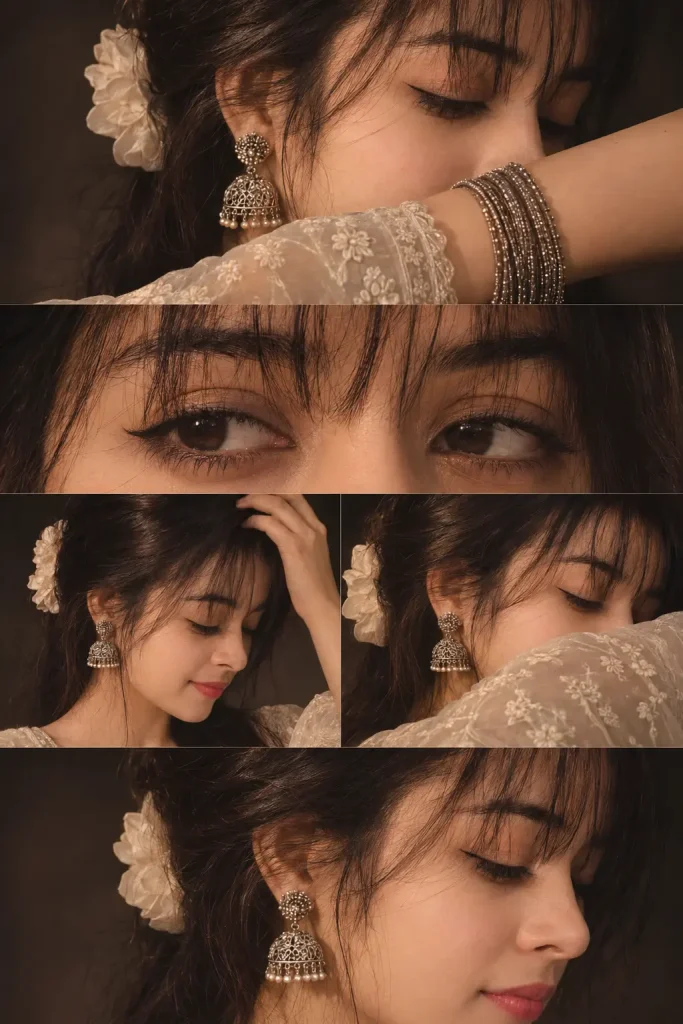
Create a beautiful traditional Indian girl portrait with dreamy photography effects.
Copy Prompt:
Create an ultra-realistic, cinematic editorial photo collage featuring a beautiful young Indian woman in an elegant traditional outfit.
FACE AND APPEARANCE:
A young Indian woman with naturally beautiful facial features, warm medium skin tone, expressive dark brown eyes, soft natural eyebrows, delicate facial structure, subtle pink-brown eye makeup, elegant eyeliner, and soft rosy pink lips. Her skin should have realistic natural texture without excessive smoothing.
HAIRSTYLE:
Long, dark, naturally textured black hair styled in a soft, slightly messy traditional updo with delicate wispy bangs falling naturally across her forehead. Add a beautiful cream-white floral hair accessory at the back of her hairstyle.
OUTFIT AND JEWELLERY:
She is wearing an elegant champagne-beige traditional Indian outfit with intricate floral embroidery and delicate threadwork. Add beautiful traditional silver-gold jhumka earrings with tiny hanging pearl details and multiple delicate metallic bangles.
COLLAGE COMPOSITION:
Create a beautiful five-panel editorial portrait collage with different close-up poses of the same woman.
Panel 1:
A close-up side-angle portrait with her eyes gently closed, resting her face near her bent arm. Her embroidered sleeve and stacked bangles should be visible.
Panel 2:
An extreme close-up focusing on her beautiful expressive eyes, delicate eyelashes, soft makeup, and natural wispy bangs.
Panel 3:
A side-profile portrait with her eyes closed and one hand gently touching her hair.
Panel 4:
A dreamy close-up where her face is partially covered by her embroidered arm, highlighting her earrings and bangles.
Panel 5:
A larger side-profile portrait showing her peaceful expression, softly closed eyes, natural lips, floral hair accessory, and elegant jhumka earrings.
LIGHTING AND BACKGROUND:
Use soft, warm, golden-brown cinematic lighting with gentle shadows. Create a dark, softly blurred brown background to give the portraits a dreamy editorial atmosphere.
PHOTOGRAPHY STYLE:
Luxury Indian fashion editorial photography, professional DSLR portrait photography, 85mm portrait lens, shallow depth of field, realistic skin texture, soft highlights, natural shadows, detailed embroidery, and beautifully rendered jewellery.
COLOR GRADING:
Warm sepia-inspired tones, muted champagne beige, soft golden highlights, rich dark brown shadows, and subtle vintage cinematic color grading.
QUALITY AND DETAILS:
Ultra-photorealistic, high-resolution photography, natural facial proportions, realistic hair strands, detailed jewellery, accurate hands, and consistent facial identity across all five panels.
IMPORTANT:
Keep the same woman's face and identity consistent in every panel. Avoid cartoon effects, excessive skin smoothing, distorted facial features, extra fingers, unrealistic jewellery, and artificial-looking skin.
The final result should look like a professionally photographed Indian fashion editorial collage.
4. Royal King AI Portrait Prompt
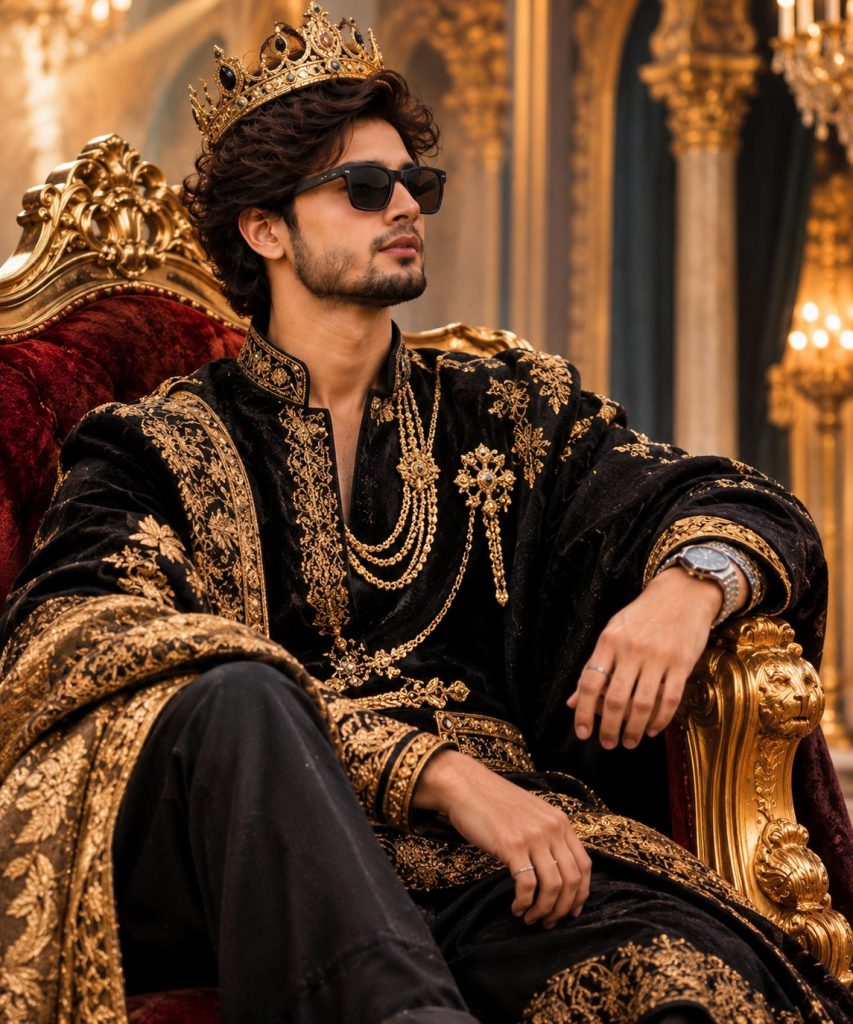
Turn your ordinary photograph into a luxurious royal portrait.
Copy Prompt:
Transform my uploaded photo into a realistic royal king portrait. Preserve my original facial identity and natural facial features. Dress me in an elegant black and golden royal outfit with a detailed traditional crown. Add a luxurious palace background, dramatic golden lighting, realistic fabric textures, and professional portrait photography. Make the final image elegant, cinematic, and highly detailed.
5. Professional Studio Photoshoot Prompt
Create a professional studio-style photograph without visiting a photography studio.
Copy Prompt:
Transform my uploaded photo into a professional studio portrait. Preserve my original face, identity, natural skin tone, and facial features. Add a clean luxury photography studio background with professional softbox lighting, balanced shadows, realistic skin texture, and elegant color grading. Make the final image look like a high-end professional photoshoot captured with a DSLR camera.
6. Pink Lotus Flower AI Portrait Prompt
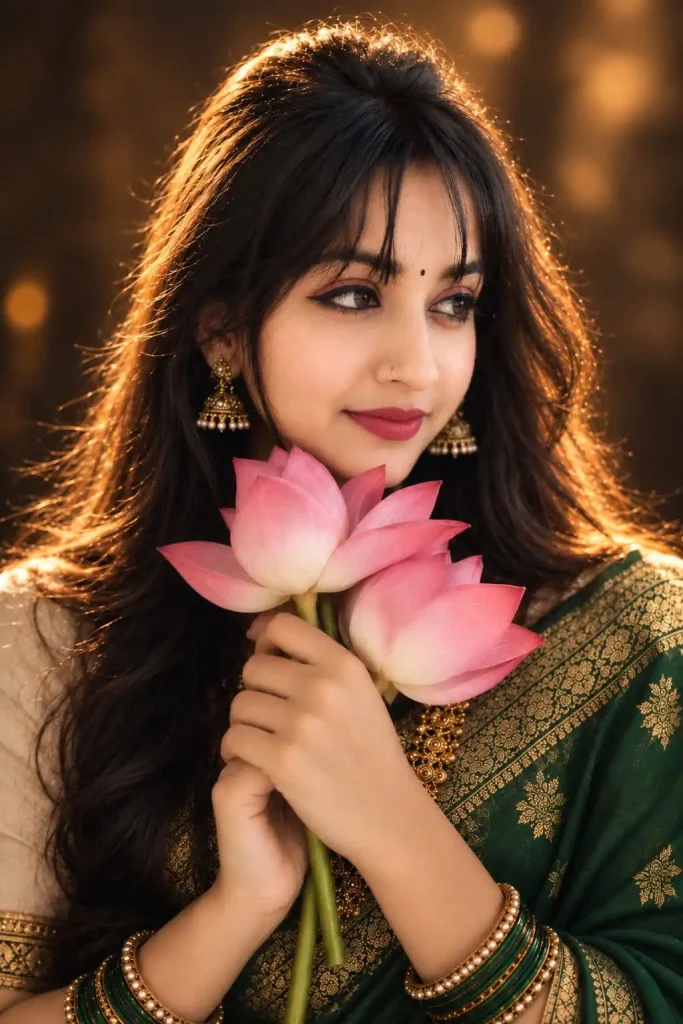
Create an aesthetic Indian portrait featuring a beautiful pink lotus flower.
Copy Prompt:
Create an ultra-realistic, high-end cinematic portrait photograph of a beautiful young Indian woman holding two large fresh pink lotus flowers close to her chest.
SUBJECT AND APPEARANCE:
A young Indian woman with natural, delicate facial features, warm medium skin tone, expressive almond-shaped dark brown eyes, softly defined eyebrows, subtle pink eye makeup, elegant eyeliner, natural skin texture, and beautiful rose-pink lips. She has long, thick, naturally wavy black hair with soft loose strands framing her face. Add a tiny traditional black bindi and a delicate gold nose ring.
EXPRESSION AND POSE:
She is looking slightly towards the right side of the frame with a gentle, confident expression and a subtle natural smile. Her head is slightly turned to the side. She is holding two large pink lotus flowers with both hands near her chest. The flowers should be fresh, detailed, and naturally arranged, with delicate pink petals and soft pale centers.
TRADITIONAL OUTFIT:
She is wearing a luxurious deep emerald green traditional Indian saree featuring intricate golden embroidery and an elegant traditional border. The saree fabric should have a rich, premium silk texture. Add traditional gold jhumka earrings, a delicate gold necklace, and multiple green and gold bangles.
LIGHTING AND BACKGROUND:
Create a warm, cinematic golden-hour lighting setup. Use beautiful golden backlighting around her hair to create a soft glowing rim-light effect. The background should be dark, warm brown, and softly blurred with elegant golden bokeh lights.
CAMERA AND PHOTOGRAPHY:
Professional DSLR portrait photography, 85mm portrait lens, shallow depth of field, beautiful natural bokeh, sharp focus on the eyes and face, realistic skin texture, detailed fabric embroidery, highly detailed jewellery, balanced highlights and shadows.
COMPOSITION:
Vertical 9:16 portrait composition. Frame the subject from approximately the waist upward. Keep the face, lotus flowers, hands, and saree details clearly visible.
QUALITY:
Ultra-photorealistic, cinematic color grading, premium Indian fashion editorial photography, natural anatomy, realistic hands and fingers, intricate details, high resolution.
IMPORTANT:
Maintain realistic facial proportions, natural skin texture, accurate hands, and realistic flower petals. Avoid cartoon effects, artificial skin smoothing, distorted fingers, extra hands, blurry facial features, and unrealistic jewellery.
7. Luxury Fashion Photography Prompt
Give your photograph a premium fashion magazine appearance.
Copy Prompt:
Transform my uploaded photograph into a luxury fashion editorial portrait. Preserve my original facial identity, natural facial features, and skin tone. Style the photograph with elegant fashion aesthetics, premium lighting, a sophisticated background, detailed fabric textures, and professional magazine-style color grading. Create a confident and stylish pose with realistic photography details.
8. Traditional Indian Saree AI Prompt
Create a beautiful traditional saree portrait with elegant Indian styling.
Copy Prompt:
Transform my uploaded photo into a beautiful traditional Indian saree portrait. Preserve my exact facial identity and natural appearance. Dress me in an elegant saree with detailed embroidery, matching traditional jewellery, and beautiful styling. Add a warm traditional Indian background with soft golden lighting and realistic fabric details. Make the final photograph look elegant, natural, and photorealistic.
9. Aesthetic Outdoor Photography Prompt
Create a beautiful outdoor portrait with natural lighting.
Copy Prompt:
Transform my uploaded photograph into a beautiful outdoor portrait. Preserve my original face, hairstyle, skin tone, and natural facial features. Place me in a peaceful garden with beautiful greenery, soft sunlight, natural shadows, and a dreamy background. Add professional portrait photography effects with realistic skin texture and subtle cinematic color grading.
10. Black and White Cinematic Portrait Prompt
Create a timeless black and white portrait.
Copy Prompt:
Convert my uploaded photograph into a premium black and white cinematic portrait. Preserve my original facial identity, natural facial features, and skin texture. Add dramatic monochrome lighting, beautiful highlights, deep shadows, and a professional editorial photography style. Keep the image realistic, sharp, and visually elegant.
11. Instagram Profile Picture AI Prompt
Create a professional and attractive Instagram profile picture.
Copy Prompt:
Transform my uploaded photo into a beautiful professional Instagram profile picture. Preserve my original face, facial identity, hairstyle, and skin tone. Create a clean aesthetic background with soft natural lighting, flattering composition, and professional portrait photography. Keep my face clearly visible and centered. Make the final image realistic, elegant, and suitable for a social media profile.
12. Wedding Photography AI Prompt
Create a beautiful wedding-style portrait with luxurious traditional styling.
Copy Prompt:
Transform my uploaded photograph into a luxurious Indian wedding portrait. Preserve my exact facial identity, natural facial features, and skin tone. Dress me in an elegant bridal outfit with intricate embroidery, traditional jewellery, and beautiful styling. Add a luxurious wedding venue background with warm golden lighting, cinematic depth, and realistic fabric details. Make the final image look like professional wedding photography.
13. Travel Photography AI Prompt
Create a beautiful travel-style photograph without changing your identity.
Copy Prompt:
Transform my uploaded photograph into a stunning travel photography portrait. Preserve my original face, facial identity, hairstyle, and natural skin tone. Place me in a beautiful scenic destination with realistic surroundings, natural daylight, atmospheric depth, and professional travel photography color grading. Make the photograph look authentic, cinematic, and photorealistic.
14. Luxury Birthday Photoshoot Prompt
Create an elegant birthday photoshoot using your own photograph.
Copy Prompt:
Transform my uploaded photo into a luxurious birthday photoshoot portrait. Preserve my original facial identity, natural facial features, and skin tone. Add an elegant birthday decoration background with beautiful balloons, glowing candles, a stylish birthday cake, and warm decorative lighting. Create a premium celebration atmosphere with realistic details, professional photography, and beautiful color grading.
15. Professional Background Change AI Prompt
Change your photograph’s background while maintaining your original appearance.
Copy Prompt:
Edit my uploaded photograph by replacing only the background with a beautiful professional photography studio background. Strictly preserve my original face, facial identity, hairstyle, outfit, body proportions, and pose. Maintain natural lighting and realistic shadows so that I blend perfectly into the new background. Make the final photograph look natural, professional, and photorealistic.
Tips to Get Better Results from ChatGPT AI Photo Editing Prompts
Using a good prompt is important, but a few additional tips can help you achieve better results.
1. Upload a High-Quality Photograph
Always upload a clear photograph with your face properly visible. Blurry or low-quality images may affect the final result.
2. Describe Your Desired Editing Style
Be specific about the background, lighting, outfit, colours, camera style, and overall appearance you want.
3. Mention Facial Identity Preservation
If you want your original face to remain unchanged, clearly mention that the AI should preserve your facial identity and natural facial features.
4. Avoid Complicated Instructions
Write simple and detailed instructions instead of combining too many unrelated editing styles in one prompt.
5. Try Different Prompt Variations
Experiment with different lighting, backgrounds, photography styles, and compositions to discover your favourite AI photo editing results.
Which AI Tool Can You Use for Photo Editing?
There are several AI tools that can help you create and edit photographs using text instructions.
- ChatGPT: Useful for generating and editing images using text prompts and uploaded reference photographs.
- Google Gemini: Offers AI image generation and editing capabilities, depending on the available model and features.
- Adobe Firefly: Useful for creative image generation and editing workflows.
- Canva AI: Offers AI-powered image editing and creative design features.
Each tool offers different capabilities, so choose one according to your editing requirements.
Frequently Asked Questions About ChatGPT Photo Editing Prompts
1. How do I use ChatGPT photo editing prompts?
Open ChatGPT, upload your photograph, copy your preferred editing prompt, and paste it into the chat. Follow the instructions to generate your edited image.
2. Are ChatGPT photo editing prompts free?
Yes, you can copy and use the prompts shared in this article for free. However, image generation availability and usage limits depend on your ChatGPT plan.
3. How can I edit my photo using ChatGPT without changing my face?
Upload a clear reference photograph and include instructions such as “Preserve my exact facial identity, natural facial features, eye shape, nose, lips, and skin tone.” AI results may still vary, so review the generated image carefully.
4. Which ChatGPT prompt is best for realistic photo editing?
A detailed prompt describing facial identity, natural skin texture, lighting, background, camera style, and composition can help produce more realistic results.
5. Can I use ChatGPT prompts for Instagram photos?
Yes. You can use AI photo editing prompts to create aesthetic portraits, mirror selfies, fashion photographs, and creative pictures for Instagram.
6. Can ChatGPT change clothes and backgrounds in photos?
Yes. You can describe the outfit and background changes you want. For better results, clearly specify which parts of the original photograph should remain unchanged.
7. How can I create professional portraits with ChatGPT?
Upload a clear photograph and use a detailed studio portrait prompt. Mention professional lighting, realistic skin texture, background, camera style, and composition.
Final Thoughts
AI photo editing has made it easier to experiment with different photography styles and creative ideas. With the right ChatGPT photo editing prompts, you can transform ordinary photographs into beautiful portraits, fashion images, aesthetic selfies, and professional-looking pictures.
Try the prompts shared in this article, experiment with different styles, and create your own unique AI photographs.
Bookmark this page because we’ll continue adding more trending ChatGPT AI photo editing prompts and creative ideas to help you make better AI images.
Explore More: Discover more AI photo editing ideas, trending ChatGPT prompts, and creative image editing tutorials on EditTemplates.com.