
Want to turn your ordinary selfie into a beautiful Golden Hour AI Photo Editing Prompt Pinterest-style fashion photograph? You can now create a stunning golden-hour portrait using Gemini AI and a simple copy-and-paste photo editing prompt. Welcome To EditTemplates.com here we provide trending and cool photo prompts and editing.
Golden-hour photography is loved for its warm sunlight, soft shadows, glowing skin tones and cinematic atmosphere. Combined with modern fashion styling, it creates a beautiful aesthetic that works perfectly for Instagram posts, Pinterest inspiration and profile pictures.
In this guide, you’ll discover how to create a golden-hour AI portrait using your own photograph. We’ve also included a free Gemini AI photo editing prompt that you can copy and use to recreate this look.
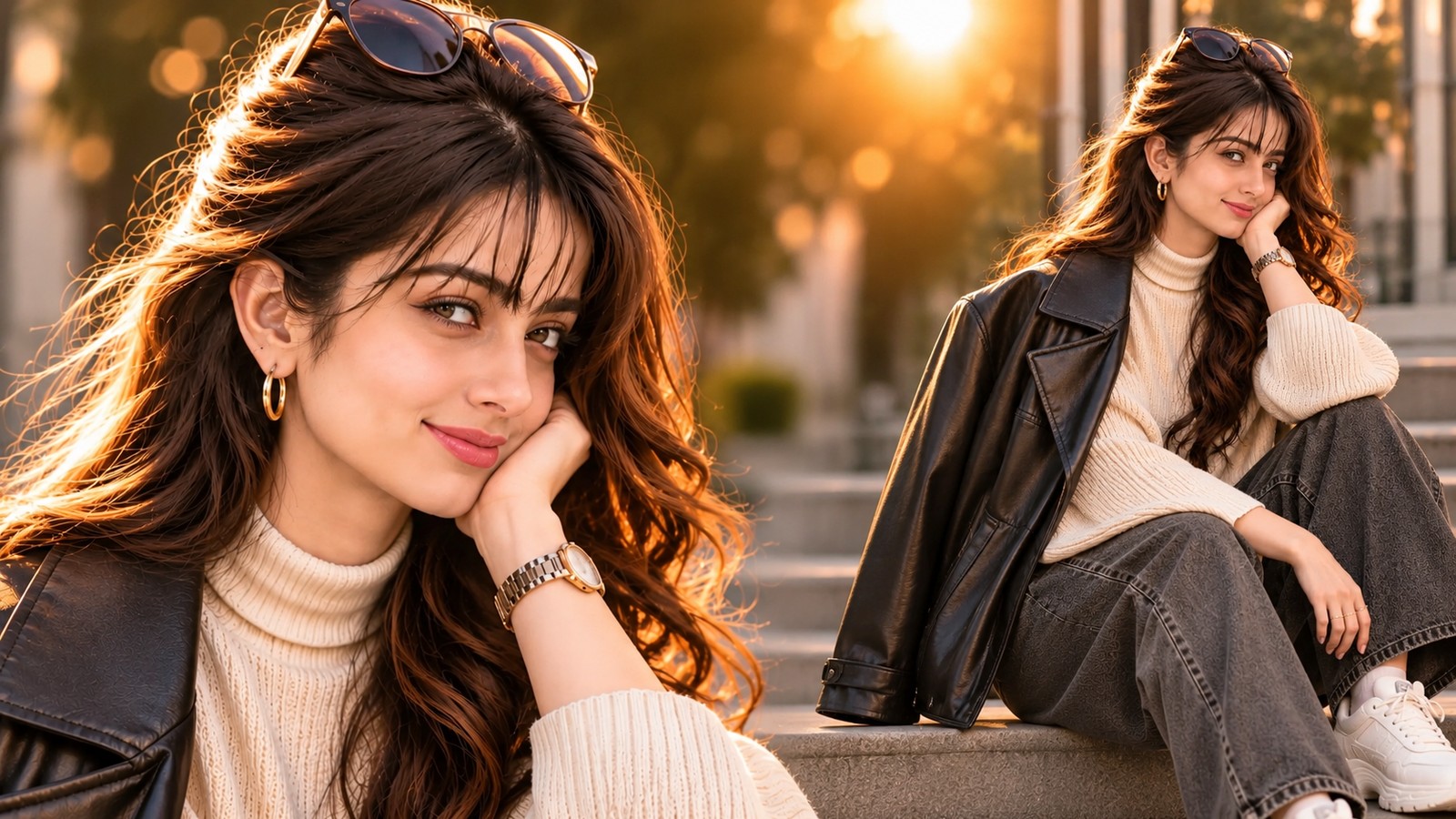
What Is the Golden Hour Pinterest Girl Aesthetic?
The golden-hour aesthetic is a photography style that uses the warm, soft light produced shortly after sunrise or before sunset.
This lighting creates a natural golden glow around the subject, adds depth to the photograph and gives the background a beautiful cinematic appearance.
The Pinterest girl aesthetic combines this lighting with fashionable outfits, natural poses, minimal accessories and professional portrait photography.
Some popular elements of this look include:
- Warm golden sunlight and glowing backgrounds
- Natural makeup and realistic skin texture
- Oversized sweaters and stylish leather jackets
- Long, softly styled hair
- Minimal gold jewellery and sunglasses
- Blurred city backgrounds and cinematic bokeh
You can recreate this style using your own selfie and the Gemini AI prompt below.
Golden Hour AI Photo Editing Prompt for Gemini
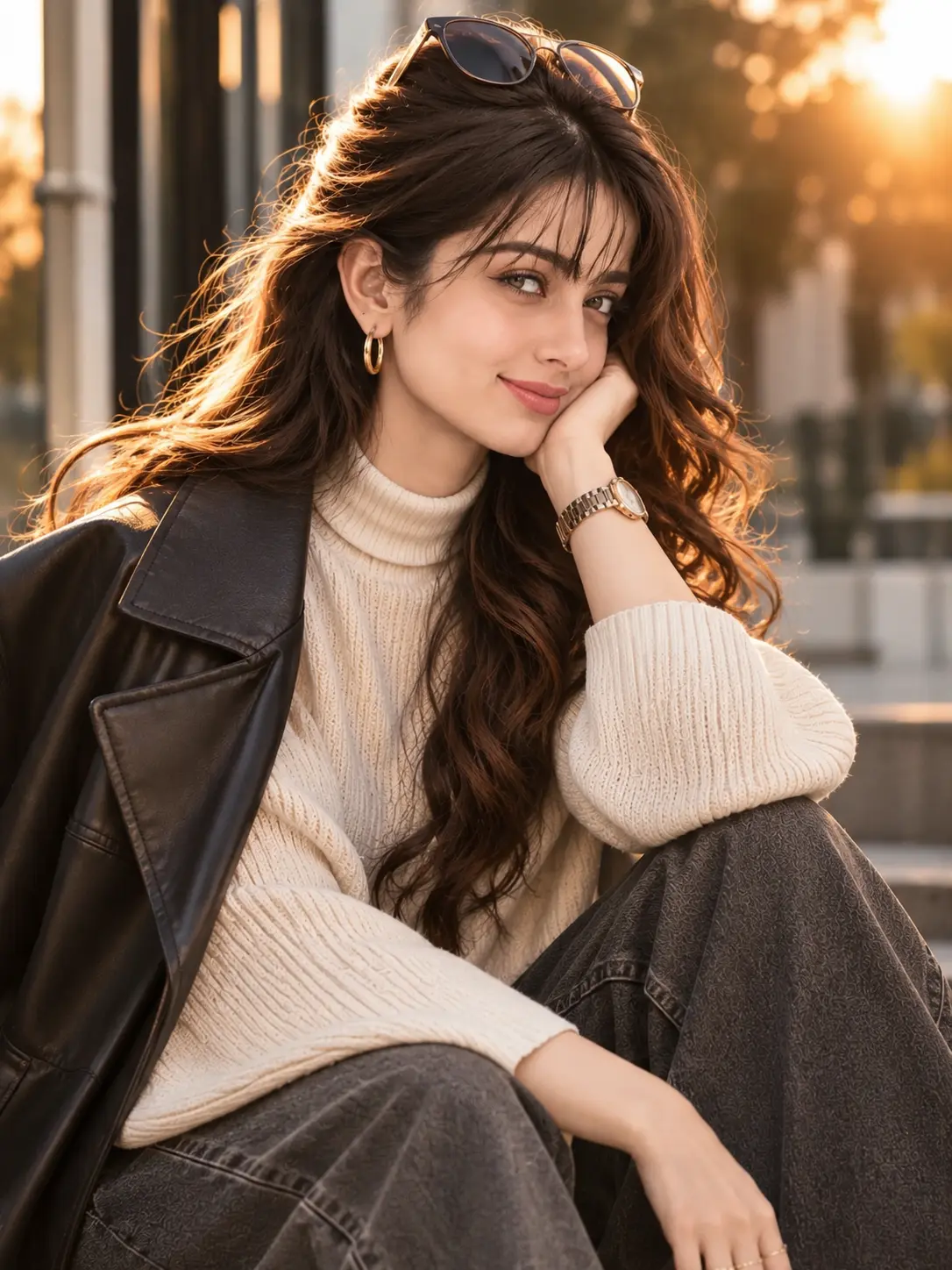
<em>Want to create the same aesthetic using your own face? Follow the instructions and copy the prompt below.</em>
Free Copy-and-Paste Gemini AI Prompt
Upload a clear photograph of yourself to Gemini AI and use this original prompt:
PROMPT:
Transform my uploaded reference photograph into a photorealistic, high-end golden-hour fashion editorial portrait.

Face and Identity Preservation:

Use my uploaded photograph as the facial identity reference. Preserve my original face shape, eyes, nose, lips, natural skin tone and recognizable facial features. Do not replace my identity or create a different person.

Outfit and Styling:

Dress me in an elegant ivory ribbed turtleneck sweater paired with dark-wash relaxed-fit denim jeans. Add a stylish black leather jacket casually draped over my shoulders. Place fashionable sunglasses on top of my head and add delicate gold hoop earrings, a minimal wristwatch and subtle rings.

Pose and Composition:

Show me sitting comfortably on outdoor architectural steps, with one knee naturally bent and one hand gently supporting my cheek. Give me a relaxed, confident expression while looking naturally toward the camera.

Background and Lighting:

Create a beautiful modern urban background with soft greenery, architectural details and warm golden-hour sunlight. Add glowing sunlight from behind and to the side, creating a subtle golden rim light around my hair. Use a softly blurred background with beautiful cinematic bokeh.

Photography Style:

Use professional fashion editorial photography, an 85mm portrait lens, shallow depth of field, realistic skin texture, natural shadows, balanced exposure and warm cinematic color grading.

The final photograph should look like a premium Pinterest fashion portrait captured during golden hour.

Important: Maintain my original facial identity, realistic body proportions, natural hands and authentic skin texture. Do not add extra people, text, logos, watermarks or artificial beauty filters.
How to Create a Golden Hour AI Portrait Using Gemini
Follow these simple steps to create your own photograph.
Step 1: Open Gemini AI
Visit Google Gemini and open its image generation or editing feature.
Step 2: Upload Your Photograph
Choose a clear selfie or portrait photograph. A front-facing or slightly angled photograph with good lighting is recommended.
Step 3: Copy the AI Prompt
Copy the complete golden-hour photo editing prompt provided above.
Step 4: Generate Your Image
Paste the prompt into Gemini and generate your photograph. Allow the AI to process your reference image and instructions.
Step 5: Refine Your Result
If the generated image changes your facial features or creates unnatural details, ask Gemini to correct those areas while preserving your original identity.
You can also request small adjustments to lighting, background blur or outfit styling.
Tips to Get More Realistic Golden Hour AI Photos
Getting a beautiful result depends on more than simply entering a prompt. These tips can help improve your generated photograph.
1. Upload a Clear Reference Image
Use a photograph where your facial features are clearly visible. Avoid heavily filtered images.
2. Describe the Lighting
Instead of simply writing golden light, describe warm sunlight, soft shadows, golden rim lighting and natural background bokeh.
3. Keep the Outfit Description Specific
Mention the exact outfit, accessories and colors you want. This helps maintain a consistent fashion aesthetic.
4. Avoid Excessive Skin Smoothing
Ask Gemini to preserve natural skin texture, facial details and realistic lighting.
5. Experiment With Composition
You can experiment with seated poses, outdoor steps, city backgrounds and different camera angles while keeping the same golden-hour aesthetic.
Frequently Asked Questions
1. How do I create a golden-hour photo using Gemini AI?
Upload your photograph to Gemini, copy the golden-hour AI photo editing prompt from this article and generate your image. You can refine the lighting, outfit and background using additional instructions.
2. Can I use my own face in Gemini AI photo editing?
Yes. Upload your own photograph as a reference and instruct Gemini to preserve your original facial features, face shape and natural skin tone.
3. What is the Pinterest girl aesthetic?
Pinterest girl aesthetic is a popular visual style featuring fashionable outfits, natural-looking portraits, attractive compositions, soft lighting and carefully styled photography.
4. How can I make my AI portrait look realistic?
Use a clear reference photograph, detailed lighting instructions and natural skin texture descriptions. Avoid excessive filters and unrealistic beauty effects.
5. Can I use this AI photo editing prompt for Instagram?
Yes. You can use the generated portrait for Instagram posts, profile pictures, Pinterest inspiration and other personal social media content. Always check the applicable image-generation service terms before commercial use.
Final Thoughts
Creating a beautiful Golden Hour AI Photo Editing Prompt portrait doesn’t require an expensive camera or a professional photoshoot. With Gemini AI and the right photo editing prompt, you can transform an ordinary selfie into a stylish, cinematic fashion portrait.
Try the free prompt from this article, upload your photograph and experiment with different poses and backgrounds to create your own Pinterest-inspired look.
Save this prompt for your next AI photo editing experiment!