
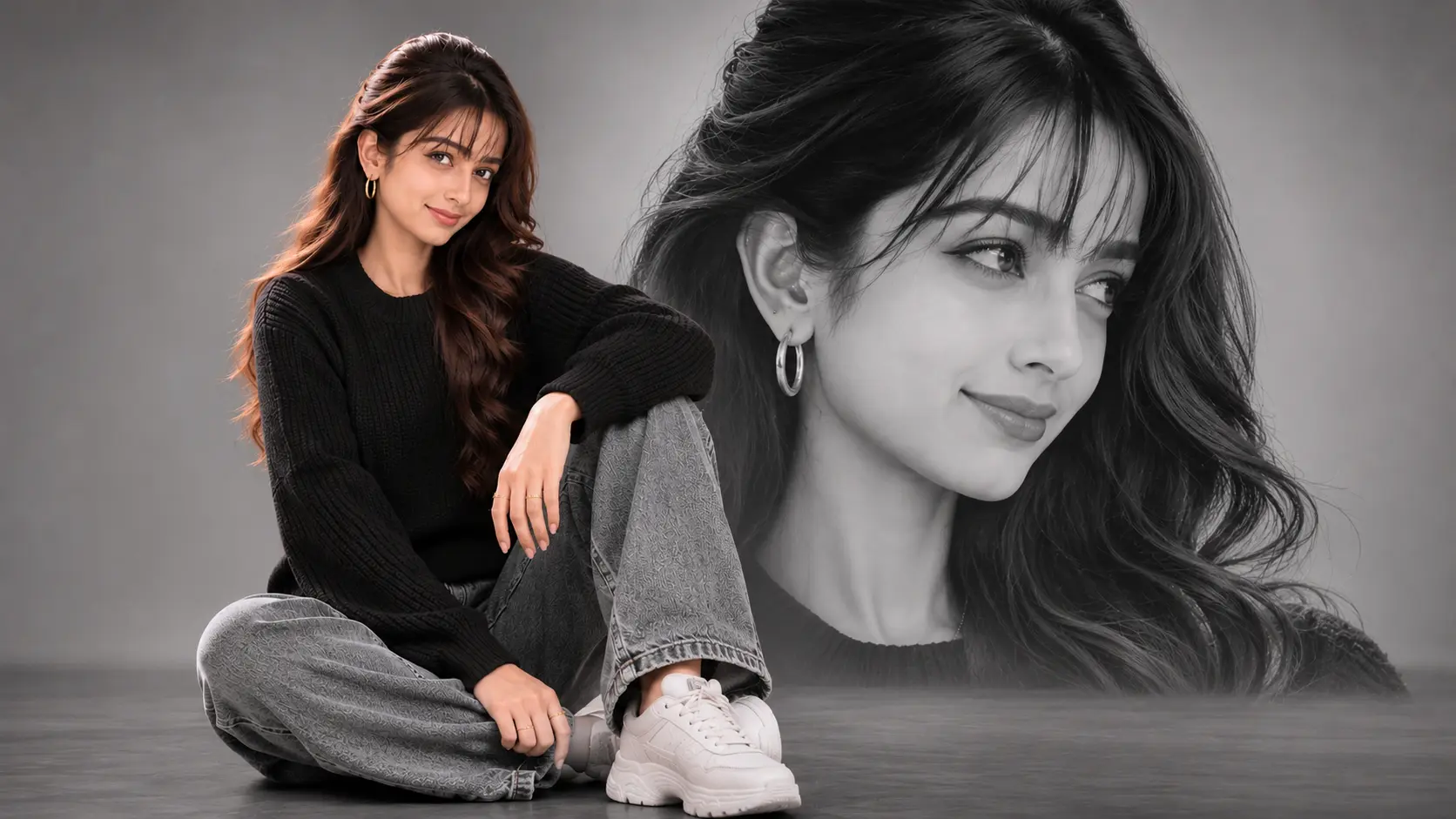
Have you seen those beautiful AI portraits where a large black-and-white face appears in the background while a smaller, colourful portrait is placed in the foreground? This creative photography style is becoming a popular choice for aesthetic portraits and social media photos.
Now you can create a similar look using a simple Black and White Background AI Photo Editing Prompt with ChatGPT.
In this tutorial, you’ll find a ready-to-copy AI photo editing prompt that can transform your ordinary photograph into a professional-looking portrait. The effect combines a large monochrome close-up portrait with a smaller, full-colour seated portrait, creating a beautiful editorial photography composition.
You don’t need professional editing software or advanced photo editing skills. Simply upload your picture, copy the prompt, and let AI create your portrait.
What Is Black and White Background AI Photo Editing?
Black and white background AI photo editing is a creative image transformation technique in which a monochrome portrait is combined with a separate full-colour portrait in the foreground.
The background features a large black-and-white close-up of the subject, while the foreground shows the same person in a natural sitting pose with realistic colours and details.
This composition creates a layered portrait effect that looks like a professional editorial photoshoot.
You can use this style to create:
- Aesthetic Instagram portraits
- Professional profile pictures
- Creative personal photographs
- Pinterest portrait inspiration
- Cinematic photography edits
- Stylish social media posts
Black and White Background AI Photo Editing Prompt (Copy and Paste)
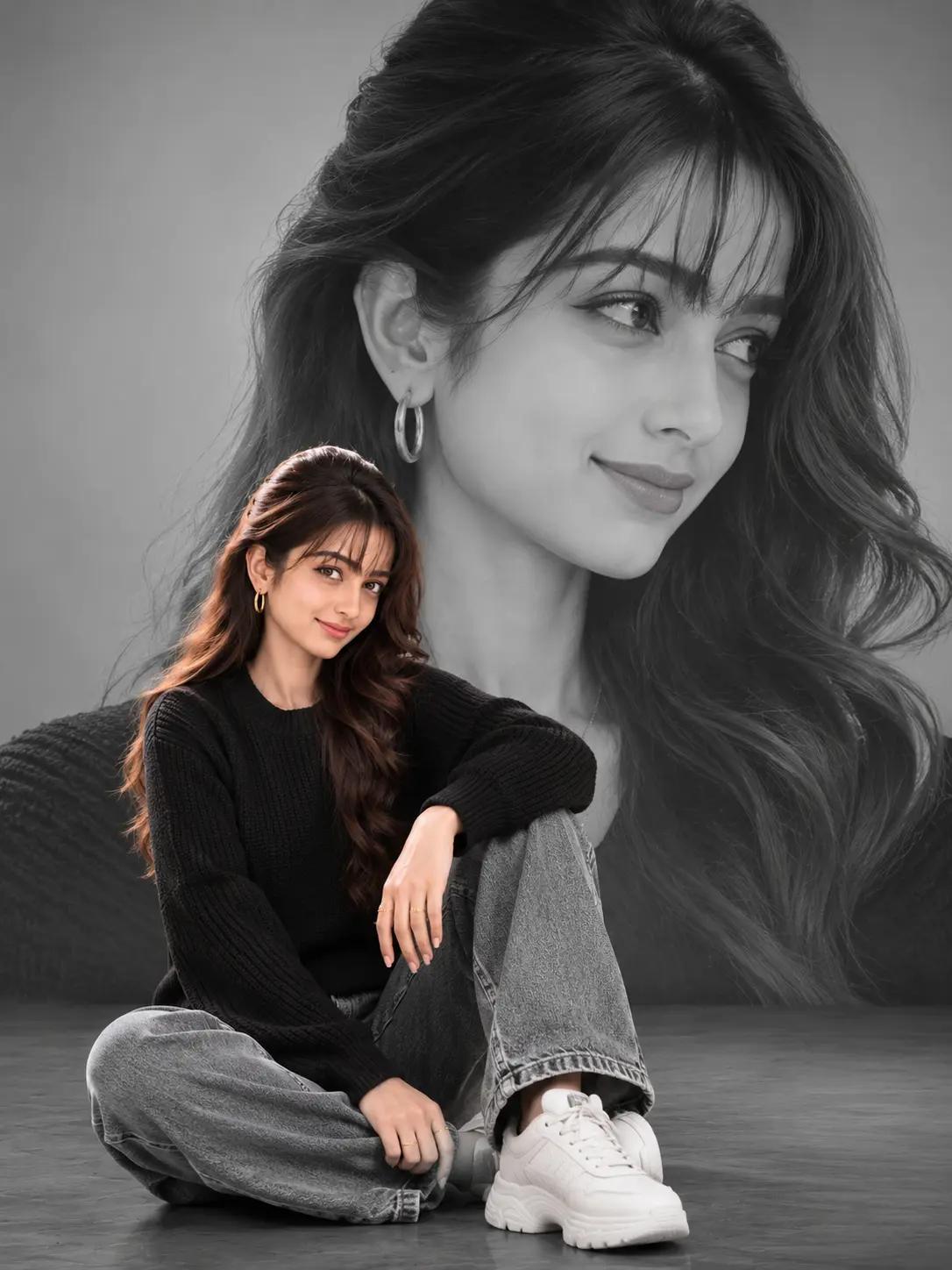
Want to create the same photography style using your own picture? Use the following ChatGPT AI photo editing prompt.
Copy Free AI Photo Editing Prompt
Prompt:
Transform my uploaded reference photograph into a highly realistic, professional editorial portrait using a creative layered portrait composition.

IMPORTANT: Use my uploaded photograph as the facial identity reference. Preserve my exact original facial identity, facial structure, eye shape, nose, lips, natural skin tone, and recognizable features. Do not replace my face or create a different person.

Background Composition:

Create a large, beautiful black-and-white close-up portrait of me in the background. The portrait should occupy most of the upper and middle background, showing my face in a natural three-quarter side angle with a calm, thoughtful expression. Keep the background portrait monochrome with soft grey tones, detailed facial features, and subtle photographic contrast.

Foreground Composition:

Place a smaller full-colour, realistic portrait of the same person in the foreground. Show me sitting comfortably on a studio floor in a relaxed cross-legged pose, with one knee slightly raised. My hands should rest naturally on my knee and near my leg.

Outfit Styling:

Dress me in a simple black oversized knitted sweater, relaxed grey denim jeans, and clean white chunky sneakers. Keep the outfit modern, minimal, and stylish.

Hair and Appearance:

Give me naturally styled long, dark, slightly wavy hair with a neat braided crown hairstyle. Maintain realistic hair texture and natural makeup.

Background and Environment:

Create a minimal grey photography studio with a smooth light-grey wall and a dark grey studio floor. Keep the background clean and distraction-free.

Lighting and Photography:

Use soft professional studio lighting, realistic shadows, natural skin texture, balanced exposure, subtle contrast, and premium editorial photography aesthetics.

Final Image Quality:

Create a photorealistic, high-resolution portrait with a visually balanced composition. The large monochrome portrait should blend naturally into the background, while the smaller full-colour seated portrait remains sharp and clearly visible in the foreground.

Maintain realistic human proportions, natural hands, accurate facial details, and professional photography quality.

Final instruction: Both portraits must represent the same person from my uploaded reference photograph. Do not change my facial identity.
How to Create This AI Portrait Using ChatGPT
Follow these easy steps to create your own black-and-white background portrait:
- Open ChatGPT on your mobile or computer.
- Select the image generation feature if available.
- Upload a clear photograph of yourself.
- Copy the complete AI photo editing prompt from this article.
- Paste the prompt into ChatGPT.
- Generate your AI portrait.
- If necessary, ask ChatGPT to improve the background composition while preserving your original face.
Your creative AI portrait is ready!
Tips for Getting the Best AI Photo Editing Results
For a better result, follow these simple suggestions:
1. Upload a Clear Reference Photo
Choose a high-quality photograph where your face is clearly visible. This helps the AI understand your facial features.
2. Describe Both Portraits Clearly
Explain that you want one large monochrome portrait in the background and one smaller full-colour portrait in the foreground.
3. Mention Your Outfit
Include the exact outfit details, such as a black sweater, grey jeans, and white sneakers, to achieve a similar styling effect.
4. Use Studio Photography Instructions
Mention soft studio lighting, realistic shadows, and a minimal grey background to create a professional appearance.
5. Preserve Your Facial Identity
Always include instructions to maintain your original facial features and natural skin tone.
Where Can You Use This AI Portrait?
Once your image is ready, you can use it for different creative purposes:
- Instagram posts and profile pictures
- Pinterest aesthetic photography pins
- WhatsApp profile pictures
- Facebook creative portraits
- Personal photography collections
- Social media design inspiration
Frequently Asked Questions
1. How can I create a black and white background AI portrait?
Upload your photograph to ChatGPT, copy the prompt shared in this article, and ask it to create a large monochrome portrait in the background with a smaller full-colour portrait in the foreground.
2. Which AI tool can create this type of portrait?
ChatGPT image generation is one option for creating this type of layered portrait using an uploaded reference photograph and a detailed text prompt.
3. Can I use my own photo for this AI editing style?
Yes. Upload your own clear photograph and use the provided prompt. It instructs the AI to maintain your facial identity while creating the new composition.
4. How do I keep my original face in an AI-generated photo?
Include detailed facial identity preservation instructions in your prompt. Upload a clear reference photograph and avoid asking the AI to redesign your facial features. Results can still vary between generations.
5. Can I create this portrait for free?
You can copy and use the prompt in this article for free. However, image generation availability and usage limits depend on the AI platform and your account plan.
6. What is the name of this photography style?
This composition is a layered portrait or editorial portrait collage style. It combines a large monochrome background portrait with a smaller colour photograph in the foreground.
Final Thoughts
Creating professional-looking portraits doesn’t always require expensive photography equipment or advanced editing skills. With the right Black and White Background AI Photo Editing Prompt, you can experiment with creative portrait compositions using your own photographs.
Copy the prompt, upload your picture to ChatGPT, and create your own layered black-and-white portrait.
Explore more creative AI photo editing prompts and photography ideas on EditTemplates.com. Keep experimenting with different styles to discover your favourite AI-generated portraits.
Disclaimer: AI-generated images may contain visual inaccuracies. Always review the final image before publishing or sharing it.