
Want to create stunning Instagram flash photography ai prompt without hiring a professional photographer? With AI image generators, you can transform an ordinary portrait into a beautiful, realistic flash photography image.
The Instagram flash photography trend is all about direct camera flash, natural skin texture, sharp details, dramatic shadows, and effortless aesthetics. These photos create a candid, nighttime photography look that is perfect for Instagram posts, profile pictures, and aesthetic social media content.
In this article, you’ll find a ready-to-use Instagram flash photography AI prompt that you can simply copy and paste into your favorite AI image generator.
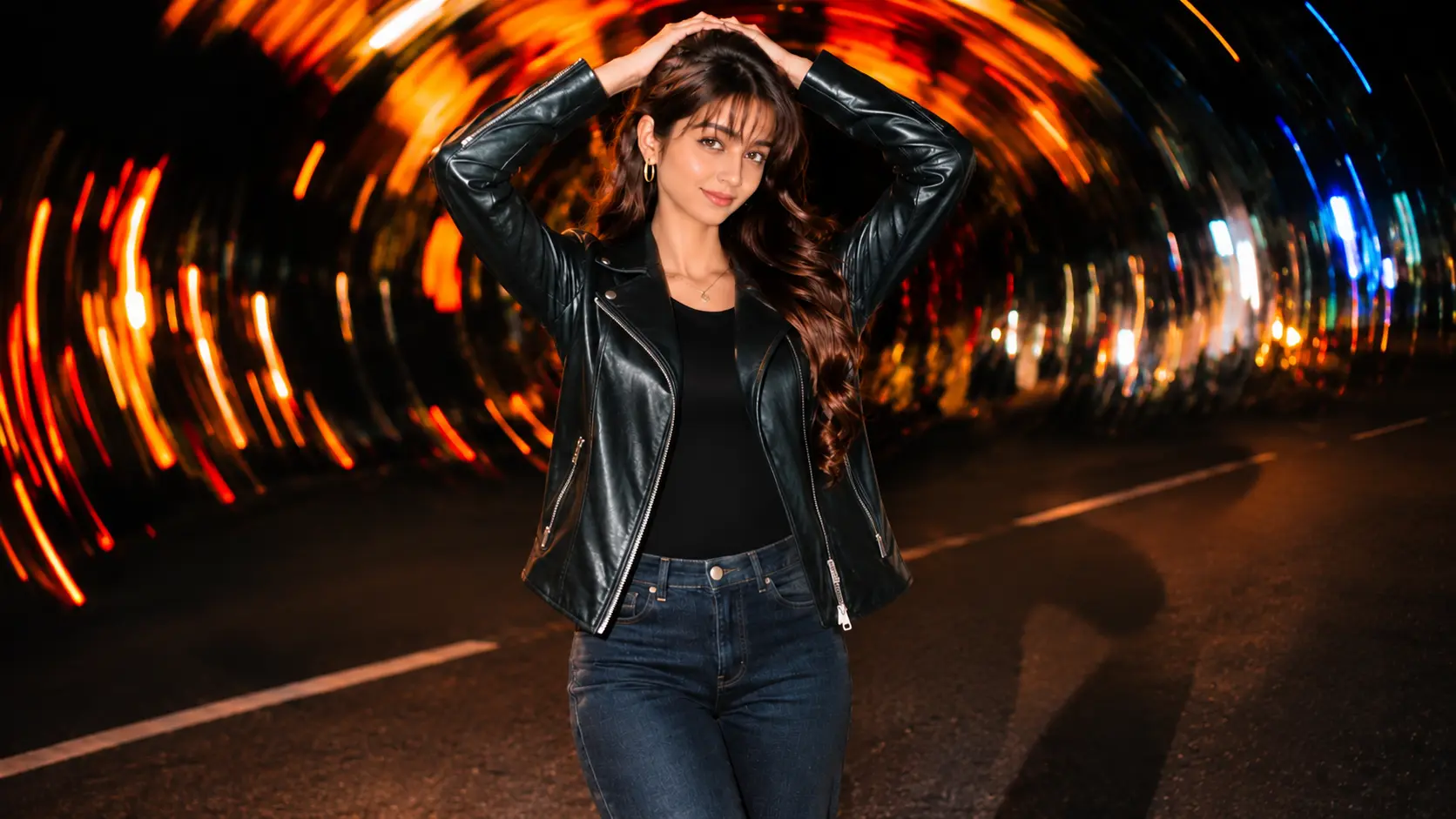
What Is Instagram Flash Photography?
Instagram flash photography is a popular photography style that uses direct camera flash to create bright, eye-catching portraits.
This photography style typically features:
- Direct camera flash lighting.
- Dark or low-light backgrounds.
- Natural-looking skin texture.
- Sharp facial and outfit details.
- Strong shadows and realistic highlights.
- Candid, editorial-style compositions.
The result is a photograph that looks like it was captured using a professional digital camera with an on-camera flash.
Instagram Flash Photography AI Prompt (Copy and Paste)
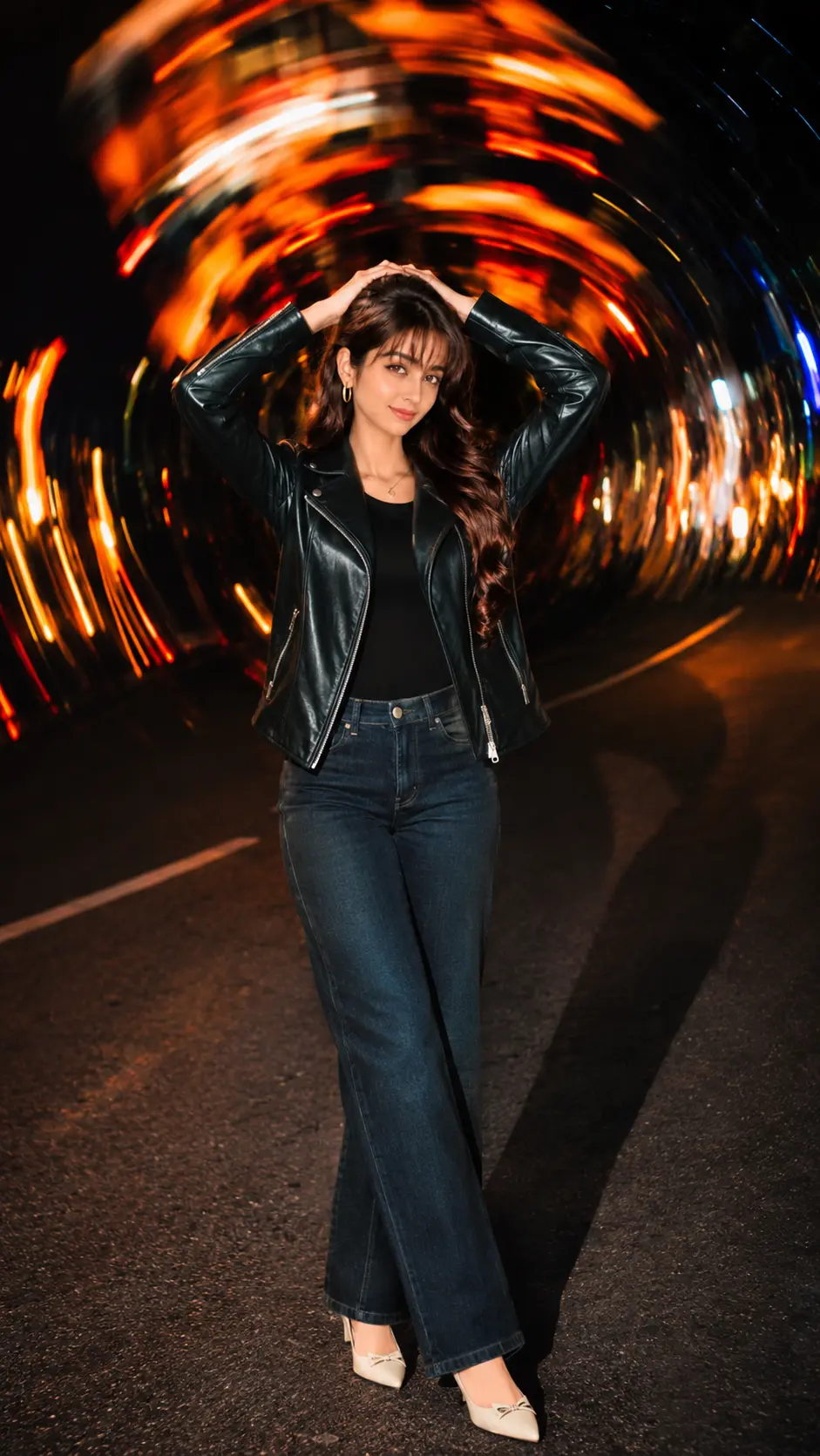
Use the following AI prompt to create a realistic Instagram-style flash photograph.
Copy This AI Photo Prompt
Prompt:
Create an ultra-realistic cinematic night street fashion photograph.
IMPORTANT: OUTFIT REPLACEMENT IS MANDATORY.

Do NOT copy, preserve, recreate, or use the clothing from the uploaded reference image. Completely REPLACE the original outfit with the NEW outfit described below.

1. New Outfit – Must Follow Exactly

Dress the woman in:

A dark teal-black glossy leather biker jacket with a structured design, silver zippers, and realistic leather texture.

A fitted black full-sleeve or long-sleeve top underneath.

Dark blue high-waisted fitted denim jeans.

The black top must be tucked into the jeans and completely cover the stomach, waist, and midriff.

No exposed skin around the waist or belly.

The new outfit must be clearly visible and must look completely different from the clothing in the uploaded photograph.

Do not retain any original clothing, fabric, color, pattern, buttons, design, or silhouette from the uploaded image.

2. Face & Identity

Use the uploaded image ONLY as a facial identity reference. Preserve the person's facial identity, facial structure, eyes, nose, lips, skin tone, and natural features. Do not change the face.

3. Pose & Composition

A stylish woman standing confidently on a city street at night, both hands placed on top of her head, elbows pointing outward, looking directly at the camera with a relaxed and confident expression.

Create a full-body vertical composition.

4. Background & Photography

Create a dramatic nighttime urban street background with vibrant orange, amber, and red circular light trails swirling around the subject.

Use long-exposure photography, fisheye wide-angle perspective, dynamic motion blur, realistic city reflections, and direct DSLR camera flash.

Keep the woman sharply focused while the surrounding lights create dramatic circular motion effects.

5. Image Quality

Ultra-photorealistic professional fashion photography, realistic skin texture, detailed leather material, natural body proportions, cinematic color grading, deep shadows, warm orange highlights, cool teal tones, and subtle film grain.

6. Strict Negative Instructions

Never copy the original outfit.

Never retain the original dress, suit, jacket, or clothing design.

Do not ignore the specified new outfit.

No cropped top.

No exposed belly or midriff.

No changes to facial identity.

No extra fingers or distorted hands.

FINAL PRIORITY: Facial identity comes from the uploaded image, but clothing MUST come exclusively from the new outfit description. Outfit replacement is more important than preserving the original clothing.

Aspect ratio: 9:16.
How to Create Instagram Flash Photography Using AI
Follow these simple steps to generate your own flash photography portrait:
- Choose a clear portrait or selfie that you want to transform.
- Open your preferred AI image generator.
- Upload your reference photograph.
- Copy the Instagram flash photography prompt provided above.
- Paste the prompt into the AI image generator.
- Generate your image and save your favorite result.
Tip: For the most realistic results, use a high-quality reference photo with a clearly visible face.
Final Thoughts
Instagram flash photography is a beautiful way to give your regular portraits a professional, aesthetic, and candid photography look.
With this simple copy-and-paste AI prompt, you can create realistic flash photography portraits while maintaining your original facial identity and appearance.
Try this prompt with your favorite portrait and create your own Instagram-inspired flash photography!
Want more AI photo editing prompts? Explore EditTemplates.com for creative AI image prompts, photo editing ideas, and trending visual inspiration.